




Winbeatz Login & Registration
Winbeatz login gives secure access to your personal account, where you manage play, balance, and key settings in one profile. Registration creates that profile and unlocks full access on desktop and mobile.
Winbeatz links Casino, Live Casino, and Sports under one account, so you switch sections without creating a second profile. We protect sessions with encrypted HTTPS connections and we flag unusual sign-ins, such as access from a new device. Win Beatz runs as an 18+ service and our rules allow one account per person, so limits and history stay tied to the same player profile.


Winbeatz Casino Registration
Registration creates your player profile and gives you access to member tools in one place. You can open slots and live tables, save favourites, and keep activity synced when you switch between a phone and a laptop.
After sign-up, the account area helps you stay organised. You can review deposits and cashouts, follow promotion progress, and read messages that affect your profile. When an offer uses a promo code, the registration form includes a field for it, so the system links the campaign to your account from the start.
Create Your Account
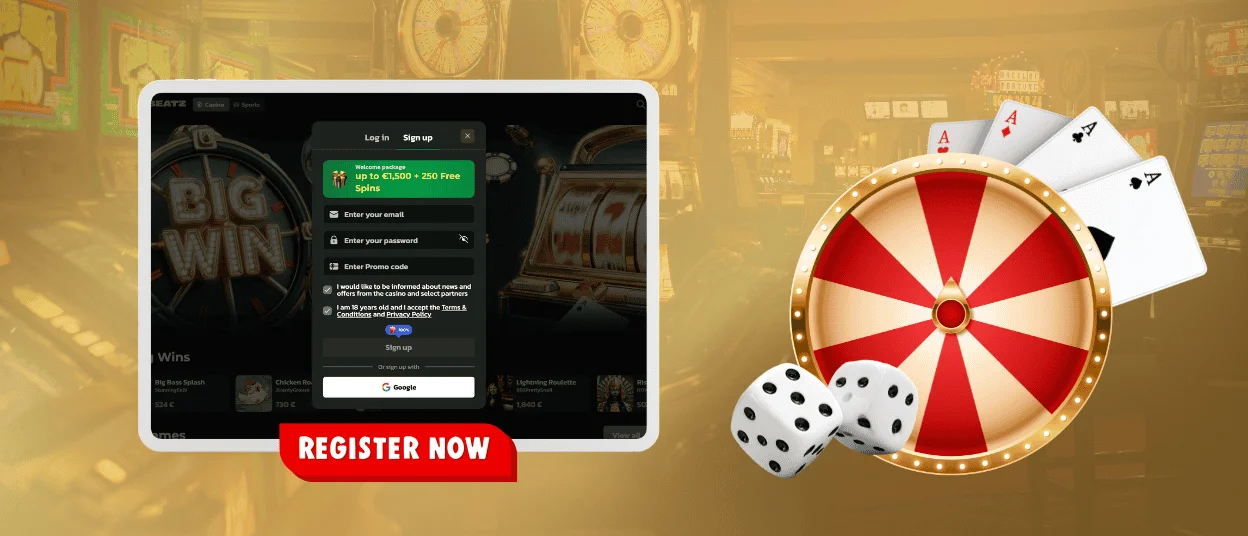
We place Log in and Sign up in the same window, so you can switch tabs without leaving the page. Use a real email because we use it for activation links and password recovery.
| Step | What to do | Why it helps |
| Open the form | Select Sign up in the header or in the login window | You start from the official site |
| Enter email | Type an email address you control | We send account emails there |
| Create password | Set a strong password and keep it private | It protects your profile |
| Promo code (optional) | Add a code if you have one | It links an eligible offer |
| Confirm age and policies | Confirm 18+ and accept Terms and Privacy Policy | It keeps access clear |
| Verify email | Open the message and follow the confirmation link | It supports safer recovery |
Winbeatz Login and Account Management
After you sign in, the account dashboard keeps the main tools in one place. The layout stays consistent across devices. In the lobby, Search helps you jump to a slot title such as Sweet Bonanza. For a dealer format, open Live Casino and choose roulette or blackjack.
From your profile, you can handle practical tasks that affect real play:
- Check your balance and recent activity, including game history and cashier updates
- Manage deposits and withdrawals through the cashier. You may see Visa or Mastercard there. Some regions also show Apple Pay or Google Pay. Crypto options like Bitcoin can appear where available
- Track bonuses and promotions, including wagering progress and time limits shown on the offer page
- Use responsible gaming tools, including deposit limits and cooling-off breaks
- Contact Win Beatz support through live chat or email when you need help with access or payments
Forgot your password?
When login fails, start with quick checks before you reset anything. Small details block access more often than system errors.
Before you reset your password, check the basics. Use the same email you entered during registration. Turn off Caps Lock and confirm the correct keyboard language. On mobile, type the email manually because auto-correct can change it. If you usually sign in with Google, use the Google button because a password reset will not work for that method.
If you still cannot log in, open Forgot password? under the login fields. Enter the email linked to your Winbeatz account and send the request. We send a reset link to that inbox. Open the email, set a new password, then return to the login window and sign in. If the email does not arrive, check Spam and request a new link.
Verification (KYC) at Winbeatz
Verification confirms that the account belongs to the right person and helps us process withdrawals in a safer way. We often request KYC before the first cashout, and we can request it earlier when we notice unusual account activity.
You complete verification inside your profile through a protected upload area. Send clear photos or scans and show the full document, including corners. Keep names and dates consistent with your registration data. During review, you can usually keep playing, but we may limit withdrawals until we finish the check.
We may request these items during verification:
- An identity document. This can be a passport, a national ID card, or a driver’s licence.
- Proof of address. Use a utility bill or a bank statement issued within the last 6 months.
- Proof of payment method. We may ask for a masked card photo or an e-wallet screen that shows ownership.
- A selfie with your ID. We use it when we need a stronger match between you and the document.
- Extra details in specific cases. This can include source-of-funds information when we need it for checks.
Frequently Asked Questions (FAQ)
Why does the system say my email is already registered?
This message means an existing profile already uses that email. Start with typos, because one wrong character can block registration. If you registered before, use the Log in tab instead of creating a new account. Our one-account rule can also block duplicates when you tried another sign-in route, such as Google sign-in with the same address. If you do not remember the password, use the reset link to restore access.
Can I change my registered email address later?
Your email identifies the account and supports recovery, so Winbeatz may lock it in profile settings. If you need to change it, contact support and request an update. We ask for a short confirmation step to protect the account owner. After the change, keep the new inbox active because we send security notices and verification updates there.
Can I register from my phone, or do I need a computer?
Registration works on mobile and desktop. You can sign up on your phone and then use the same account on a computer later. Keep the same sign-in method you used at registration, because it keeps your balance and settings linked to one profile. If Winbeatz detects a new device or network, it may ask you to sign in again to protect the session.
What happens if I miss the promo code field during registration?
The system links a promo code to your profile during sign-up, so skipping the field can stop the code from applying automatically. You can still use promotions that do not require a code, because you activate them from the Promotions section. If an offer depends on that exact code, contact support and share the promo code plus your account email. The team checks the rules and confirms if they can apply it.
Is it safe to stay logged in on my personal device?
Staying logged in is fine on your own phone or computer when you keep it locked and you do not share access. Avoid saving passwords on shared browsers. On a public computer or a borrowed device, log out when you finish and close the tab. If you notice unusual activity, change your password and review recent account actions in your profile before you continue.


